

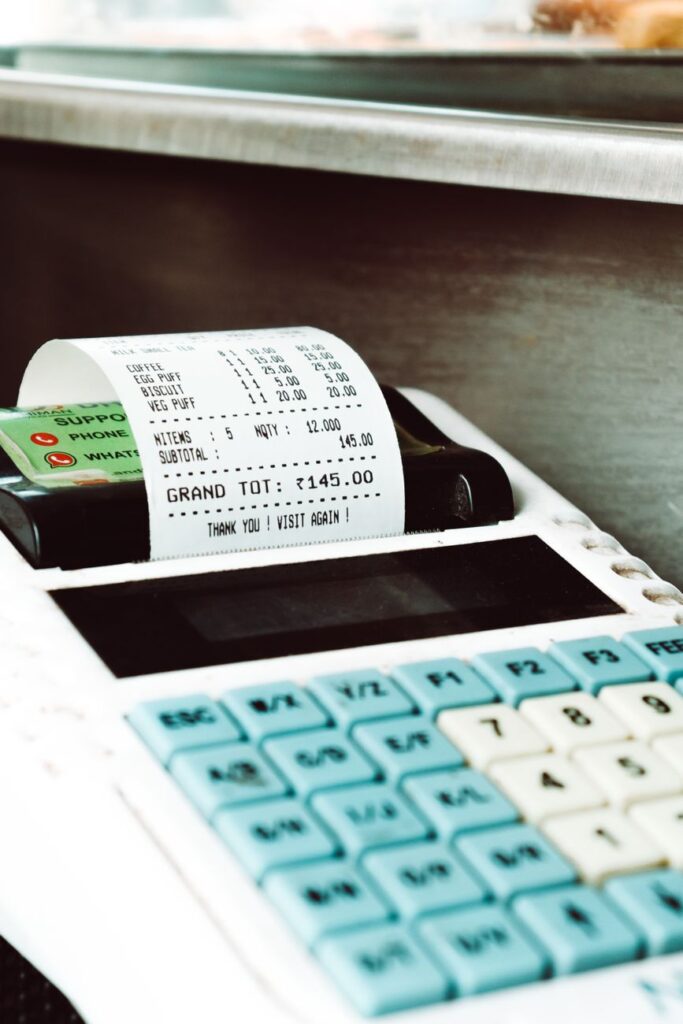
It usually starts with a small task. Someone buys supplies for the office, pays for a business lunch, or orders equipment online. The transaction appears on a card statement, but the receipt is sitting in an email inbox, hidden in a retailer account, or forgotten in a pocket.
Multiply that by dozens or hundreds of purchases, and a simple expense process becomes a frustrating administrative job. Receipts need to be collected, transactions checked, expenses categorized, and missing information tracked down before the books are ready.
That is why business owners searching for better financial software should look beyond the question of which accounting platform to use. Sometimes the bigger opportunity is fixing the work that happens before an expense reaches the books.
This guide explores what to consider when evaluating QuickBooks alternatives and Expensify alternatives, where receipt automation fits into the picture, and how Mylo can help businesses build a more efficient expense workflow without changing the cards they already use.
The Real Problem Isn’t Always Accounting Software
When expense management becomes difficult, it is tempting to replace the entire software stack. But before choosing a new platform, it helps to identify exactly where the process breaks down.
For many small businesses, the problem is not calculating totals or generating reports. It is collecting the documents and context needed to make those reports reliable.
Consider a typical week for a small team:
- A team member buys supplies with a personal card and forgets to submit the receipt.
- An online order generates an email confirmation that nobody forwards to accounting.
- A subscription appears on the bank statement, but its business purpose is unclear.
- A bookkeeper spends time matching transactions to receipts instead of reviewing the books.
- At month-end, the owner has to ask several people for missing documents.
Each task may take only a few minutes. Together, they create repeated interruptions and a backlog that grows with the business.
The solution is to separate the workflow into three jobs: capturing receipts, matching them to payments, and sending verified expense information to the appropriate accounting or reporting system.
Once these jobs are clear, it becomes easier to decide whether you need a different accounting platform, an employee expense management system, or a more focused receipt automation tool.
QuickBooks Alternatives: Start by Defining What You Actually Need

Businesses researching a QuickBooks alternative should first determine whether they want to replace their accounting software or simply reduce the manual work required to maintain it. These are two different projects, and confusing them can lead to an expensive change that does not solve the original problem.
When replacing accounting software makes sense
A full accounting platform typically supports several connected activities, such as recording financial transactions, managing invoices, reconciling accounts, and producing financial reports. Businesses may consider a replacement when their current platform no longer fits their reporting needs, workflow, budget, or preferred integrations.
Before making a decision, assess:
- The accounting features you use every week.
- Whether your accountant or bookkeeper can work with the proposed system.
- How bank transactions and invoices are handled.
- Whether historical records can be migrated accurately.
- The total cost of subscriptions, add-ons, implementation, and training.
When you may not need a replacement at all
If your accounting platform works well but your team constantly chases receipts, the problem may sit upstream from accounting. Switching software could mean migrating years of records and retraining employees while leaving the receipt collection problem untouched.
This is where a focused tool can be useful. Rather than replacing the accounting system, it improves how source documents are collected, reviewed, and connected to transactions.
For businesses that already use QuickBooks Online, Mylo is designed to support this kind of workflow. It can capture receipts from connected inboxes, retailer accounts, and camera-based sources, match them with bank or card transactions, and prepare approved expenses for synchronization with QuickBooks.
In other words, a search for QuickBooks alternatives should include an important question: do you need different accounting software, or do you need a better way to get accurate, documented expenses into the system you already trust?
How Mylo Changes the Receipt Workflow
The value of the Mylo app becomes easier to understand when you look at the process from the moment a purchase happens rather than from the moment someone opens an accounting dashboard.
Instead of treating every receipt as a separate administrative task, Mylo is built to collect receipt information from multiple sources and connect it to the corresponding expense.
1. Receipts come from more than one place
Business receipts rarely arrive in a single format. Some are printed at checkout, some arrive by email, and others remain inside online retailer accounts. Mylo supports several capture methods, including receipt scanning, connected email inboxes, camera-roll imports, and supported retailer accounts.
This matters because a process that relies entirely on employees remembering to upload every document can easily miss purchases. Bringing more sources into one workflow can reduce that dependency.
2. Receipt information becomes a structured expense
Once a receipt is captured, Mylo uses AI to read information such as the merchant, date, amount, tax, and other available purchase details. It creates an expense record and suggests a category, reducing the need to retype information manually.
Automated extraction should still be reviewed when something looks unusual. Clear records depend on accurate source documents, appropriate categories, and human attention when the system cannot confidently interpret a purchase.
3. The receipt is matched with the payment
A receipt and a bank transaction tell different parts of the same story. One describes what was purchased; the other records the payment. Matching them helps connect the document to the actual expense.
Mylo is designed to match captured receipts with relevant bank or card transactions through supported connections. This can make it easier to identify documented purchases and spot transactions that may need further attention.
4. Approved expenses move into accounting
For teams using QuickBooks Online, approved expenses can sync with categories and receipt documentation attached. This helps reduce duplicate entry and gives the accounting record a clearer supporting trail.
The important distinction is that automation supports the process; it does not eliminate the need for appropriate review. Businesses should establish who approves expenses, how exceptions are handled, and which records must be retained.
For a business whose main frustration is receipt collection rather than accounting itself, this focused approach may be more practical than rebuilding the entire finance stack.
Expensify Alternatives: Compare the Workflow, Not Just the Features

People researching an Expensify alternative may have very different goals. A freelancer might want to organize purchases and prepare records for tax time. A small company may need employee submissions, reimbursement tracking, and approval rules. A growing business may care most about connecting receipts to card transactions and reducing work for its bookkeeper.
These use cases overlap, but they are not identical. The right choice depends on which parts of the expense process are essential to your organization.
Identify what you use today
Before comparing Expensify alternatives, list the functions your team actually relies on. For example:
- Mobile receipt capture and document storage.
- Employee expense submissions and reimbursements.
- Approval workflows and spending policies.
- Transaction matching and expense categorization.
- Travel and mileage management.
- Accounting integrations and reporting.
Mark each feature as essential, useful, or unnecessary. This simple exercise can prevent you from paying for a complex platform when your real need is a reliable receipt workflow.
Consider a receipt-first approach
If your biggest issue is that receipts are missing, scattered, or disconnected from transactions, a receipt-focused solution may be worth evaluating alongside broader expense management platforms.
The Mylo receipt app focuses on capturing and organizing receipts, matching them to payments, and preparing expense records for review. This can make it relevant for businesses that want to reduce manual receipt handling and keep their accounting workflow better documented.
However, Mylo should not automatically be treated as a one-for-one replacement for every Expensify feature. If your business depends on specific reimbursement, travel, mileage, or policy-management functions, verify that your chosen solution supports those requirements before switching.
Look at the total administrative cost
A subscription price tells only part of the story. A low-cost tool can still be expensive in practice if employees must manually forward every receipt, managers spend hours resolving missing documentation, or bookkeepers repeatedly correct incomplete records.
When comparing options, consider both the software cost and the time required to operate it. A tool that removes repetitive work may offer value even when its subscription price is not the lowest available.
The best Expensify alternative is therefore not necessarily the platform with the longest feature list. It is the one that covers your essential workflow with an acceptable balance of cost, control, and effort.
Which Type of Tool Fits Your Business?
Instead of comparing products by brand name alone, start with the job you need the software to perform.
| Primary need | Type of solution to evaluate | Key question |
|---|---|---|
| Full accounting and financial reporting | Accounting platform | Can it support your reporting, reconciliation, and bookkeeping requirements? |
| Employee expenses and reimbursements | Expense management platform | Does it support the submission, approval, and reimbursement workflows your team uses? |
| Receipt collection and transaction matching | Receipt automation tool | Can it collect documents from the sources you use and connect them to the right transactions? |
| Less manual work in an existing accounting setup | Receipt automation integrated with accounting | Can approved records reach your accounting system without duplicate entry? |
These categories can overlap, and some products offer more than one type of functionality. The table is a starting point for evaluating fit, not a substitute for checking each product’s current capabilities.
For example, a business that is satisfied with QuickBooks Online but struggles with missing receipts may not benefit from switching accounting platforms. Improving receipt capture and matching may address the underlying problem with less disruption.
By contrast, a company that needs a fundamentally different accounting workflow should evaluate full accounting products rather than assuming a receipt management tool can replace them.
A Practical Plan for Improving Your Expense Workflow
You do not need to change every process at once. A small pilot can help you determine whether a new approach actually saves time and produces better records.
Week 1: Map the current process
Track how receipts currently move from employees and payment sources to the accounting system. Identify where documents are lost, where data is retyped, and which tasks create the most follow-up work.
Choose a few measurable indicators, such as the number of missing receipts, time spent collecting documents, or the amount of manual data entry required each week.
Week 2: Test a focused workflow
Choose a small group of transactions and test the process from capture through review. If you are evaluating Mylo, connect only the sources needed for the pilot and confirm that the available permissions, supported accounts, and data handling practices meet your requirements.
Check whether receipts are captured, whether transaction matches are appropriate, and whether expense details are accurate enough for your workflow.
Week 3: Review exceptions
Look at the records that required manual attention. Were receipts unreadable? Did a transaction have no corresponding document? Were categories incorrect? Use these cases to refine the workflow and establish clear instructions for employees.
Automation works best when people know what to do with exceptions instead of assuming every record will be perfect.
Week 4: Measure the results
Compare the pilot with your original process. Did the number of missing receipts decrease? Did the team spend less time chasing documents? Were records easier to review? Did the workflow create any new problems?
If the results are positive, expand gradually. If not, identify whether the issue is the tool itself, the setup, or an unclear internal process before making a larger investment.
Frequently Asked Questions
Is Mylo a QuickBooks alternative?
Mylo is primarily designed to automate receipt capture, expense organization, and transaction matching, with support for syncing approved expenses to QuickBooks Online. It is not a full replacement for every accounting function. Businesses considering a complete accounting software change should compare the requirements of their existing system with the capabilities of the proposed replacement.
Can Mylo be considered an Expensify alternative?
It may be an option for businesses evaluating alternatives for receipt capture and expense documentation. However, the products may serve different needs. Before replacing an expense management platform, verify that the solution covers any essential reimbursement, approval, travel, mileage, and reporting workflows your team depends on.
What should businesses compare when reviewing QuickBooks alternatives?
Compare the accounting features you actually use, transaction reconciliation, reporting, integrations, migration requirements, support, and total cost. Also determine whether your main issue is the accounting platform or the manual work required to prepare expense records for it.
What matters most when comparing Expensify alternatives?
Start with your primary use case. Consider receipt capture, reimbursements, approval rules, travel and mileage features, accounting integrations, ease of use, and the total time required to manage expenses. Choose a solution based on essential requirements rather than the number of advertised features.
Does receipt automation remove the need for expense review?
No. Automation can reduce manual data entry and help match receipts to transactions, but businesses should still review exceptions, confirm important details, and maintain appropriate approval and record-retention procedures.
Final Takeaway: Fix the Bottleneck Before Replacing the System
Choosing financial software is easier when you understand which part of the workflow needs improvement. A business that needs new accounting capabilities has different requirements from one that simply wants to stop chasing receipts every month.
When evaluating QuickBooks alternatives, determine whether you need a different accounting platform or a more efficient way to prepare expenses for the system you already use. When comparing Expensify alternatives, identify which expense management functions are essential and which tasks create the most unnecessary work.
Mylo offers a receipt-focused approach that brings together document capture, expense categorization, transaction matching, and an accounting workflow for approved expenses. For businesses dealing with scattered receipts and repetitive manual entry, it is a solution worth evaluating against those specific needs.
The goal is not to adopt more software for its own sake. It is to build a process in which receipts are easier to find, expenses are easier to verify, and financial records require less repetitive work to maintain.